Mobile Casino Top-Up in the UK: Phone Billing
 Available in GB
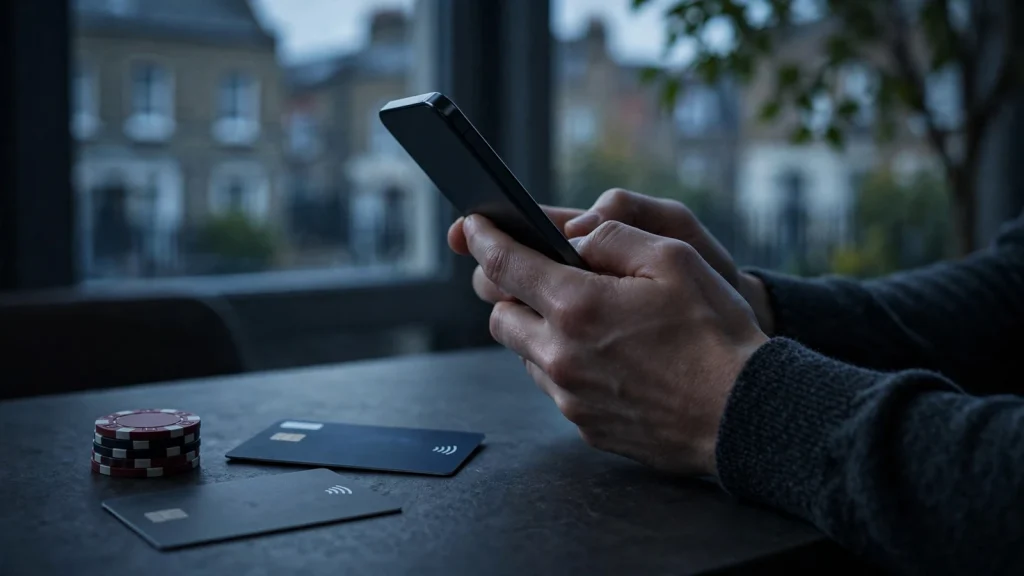
A phone can be just the device you use: the cashier’s payment method determines whether funds come from a bank account, e-wallet or mobile network.
Table of Contents
- How Mobile Casino Deposits Fit into the UK Payment Rules
- What Happens When You Deposit from Your Phone
- When a Casino Deposit Is Added to Your Phone Bill
- SMS Confirmation: How Payforit and Boku Deposits Work
- Using Phone-Billed Deposits for Mobile Slots
- Funding Mobile Slots: Phone Billing or Debit Card
- Alternatives When You Cannot Top Up Slots by Phone
- Phone-Billing Limits and Network Fees
- How to Compare Mobile Top-Up Payment Options
- Using Phone Credit Without Losing Track of the Total Charge
How Mobile Casino Deposits Fit into the UK Payment Rules
A mobile casino deposit is money added to your gambling account while you are using a phone or tablet. The word “mobile” describes the device, not necessarily the source of the funds. You might open a casino cashier on your phone and pay with a bank card, PayPal or another method the cashier offers. That is different from choosing a pay-by-mobile option, where the deposit is charged through your mobile network rather than taken directly from a bank account or e-wallet.
This distinction matters when you see phrases such as “mobile top-up casino”. They can refer either to funding an account on a mobile device or to paying by phone. A cashier is the point that separates the two: it shows the methods available to your account, while the method’s name and payment instructions indicate where the money will come from. Do not assume that a deposit made on a phone will appear on your phone bill.
In Great Britain, remote gambling operators must hold a UK Gambling Commission licence to serve customers. The Commission’s rules also prevent those operators from accepting credit-card payments for gambling. That restriction applies when the payment is routed through a money service business as well as when a credit card is presented directly. Moving the card payment through an intermediary does not make it an acceptable way to fund gambling.
When choosing a mobile top-up casino in the UK, it helps to check what is known about payouts as well as how you plan to fund your account. Use these listed payout times as one detail to consider.
1. x3bet
Payout speed: 1-3 business days x3bet lists a payout speed of 1–3 business days. You can use that timeframe as one factor when considering it.
2. SpinFormula
Payout speed: 1-3 business days SpinFormula lists payouts as taking 1–3 business days. That is the available detail to consider when weighing up this option.
3. Zombillion
Payout speed: 1-3 business days Zombillion’s stated payout speed is 1–3 business days. Keep that timeframe in mind when assessing whether it suits you.
4. NightLuck
Payout speed: 1-3 business days NightLuck gives a payout speed of 1–3 business days. You can factor this stated timeframe into your choice.
5. Revery Play
Payout speed: 1-3 business days Revery Play lists a payout speed of 1–3 business days. This is the available practical detail to consider about the operator.
6. BeOnBet
Payout speed: 1-3 business days BeOnBet states that payouts take 1–3 business days. You may want to consider that timeframe alongside your other preferences.
7. SlotoSport
Payout speed: 1-3 business days SlotoSport’s stated payout speed is 1–3 business days. Use this as one point of reference when considering the option.
8. EvoSpin
Payout speed: 1-3 business days EvoSpin lists payouts as taking 1–3 business days. That timeframe is the available detail to help inform your decision.
9. Amunbet
Payout speed: 1-3 business days Amunbet gives a payout speed of 1–3 business days. You can take this stated timeframe into account when choosing.
10. WinBeast
Payout speed: 1-3 business days WinBeast lists a payout speed of 1–3 business days. Consider that information as one part of your assessment.
A card brand alone does not tell you whether a particular transaction is permitted. Visa and Mastercard can appear in a cashier, but you should check which card type is accepted and use a debit card rather than a credit card for gambling. Nor should you use an e-wallet to move credit-card funds into a gambling account: changing the route does not remove the credit-card restriction. PayPal may also appear as a cashier option, but its presence does not authorise using a credit card to fund gambling indirectly.
Other payment names need more care. Independent specialist reviews may list methods such as Skrill, Neteller, PaysafeCard or cryptocurrencies among options accepted by casinos. Such a review describes the operators it covers; it does not establish what a particular casino currently offers or what is enabled for your account. For methods beyond Visa, Mastercard and PayPal, treat availability as confirmed only when the current cashier displays the method and lets you select it. A method mentioned elsewhere may be absent, unavailable to your account or no longer supported.
The same caution applies to the phrase “mobile top-up”. It is not a single payment mechanism shared by every casino. A phone-billed option, where offered, uses the mobile network as part of the payment route. A card or e-wallet option instead uses the relevant card or payment account, even if you select it from the same screen on your phone. The device does not determine the route; your chosen cashier method does.
TRON (TRX) Casino Comparison for the UK · BNB Casino Comparison UK: Licensing and Claims
Before you treat a payment label as suitable, read the wording on the cashier rather than relying on a general description of mobile casinos. Check whether it says the payment will be taken from a card, an e-wallet, a prepaid balance or your mobile account. If the source is unclear, do not proceed until the operator’s payment information explains it. This is especially important where a card is involved, because a credit-card payment cannot be made acceptable merely by starting the transaction on a mobile device or passing it through another service.
A useful way to read any mobile cashier is to separate three things: the device you are using, the method you select and the source of the money. They may coincide, but they are not interchangeable. A deposit made on a phone can use a bank card; a pay-by-mobile deposit is defined by its phone-network payment route; and an option named in an independent review is not proof that it is available in the live cashier. Keeping those distinctions clear lets you understand what “mobile casino deposit” means before choosing a payment method.
What Happens When You Deposit from Your Phone
A deposit made on a phone still passes through the casino account’s cashier. The screen is smaller, but the basic sequence is the same: you select a payment method, enter the requested details and amount, review the transaction, and submit it. The cashier then processes the request and the casino updates your balance if the payment is accepted. Using a phone to access the cashier does not, by itself, determine how the money is collected.
Mobile Deposit Process
Step 1: Access the Cashier
Sign in to your account and open the deposit area to see the methods currently available for your account.
Step 2: Review Terms
Select a method and check the minimum and maximum transaction values, as well as any applicable fees.
Step 3: Set Limits
Consider and set a financial limit if prompted, ensuring the amount is affordable before proceeding.
Step 4: Verify and Submit
Confirm your account is ready, enter the amount carefully, and review all transaction details before submitting.
Step 5: Confirm Balance
Wait for the cashier to show the result and check that the deposit is reflected in your casino account balance.
Start by signing in and opening the deposit area. Choose only a method that the current cashier displays for your account. Options can depend on the operator and may change, so do not assume that a method shown elsewhere will be available to you. The cashier’s payment screen is the place to confirm what you can use and the terms attached to that option.
Before entering an amount, read the information beside the selected method. Check the minimum deposit and maximum transaction value, along with any fee. These details may differ by method and can change; a figure remembered from an earlier visit is not a substitute for the current terms. If the amount you enter falls outside the displayed limits, the cashier may not accept the request. If a fee applies, account for it when deciding what you intend to spend.
New remote customers must be prompted to consider setting a financial limit before making their first deposit. Treat that prompt as part of the decision, not as a step to dismiss automatically. An account limit helps define the amount available for gambling over the period covered by the setting. Consider what you can afford before confirming a payment, and check how the account’s limit controls work. Those facilities must remain accessible after registration, so you can review or change your settings later.
Next, check that the account is ready to transact. Operators must verify a customer’s age before allowing a deposit. The cashier may also show account or payment requirements that need attention before a request can proceed. Enter the amount carefully, then compare the final transaction details with your intention before submitting. A phone interface can place several controls close together; make sure the selected method and amount are correct rather than relying on a quick tap.
Casinos That Accept Google Pay in the UK
After submission, the payment request and the casino account update are related but distinct stages. The payment method must process the request, and the casino must receive enough information to associate an accepted payment with your account. Until the cashier shows the result, do not assume that the balance has changed. If the request is declined or does not appear to complete, check the on-screen status and your account balance before trying again. Repeating a request without checking could create uncertainty about whether more than one payment was submitted.
A completed deposit should be reflected in the account balance shown by the casino. If the balance does not match the cashier’s confirmation, retain the transaction information displayed and contact the operator through its support route. Do not submit another deposit simply to force the balance to update; first establish whether the initial request was accepted. The operator’s record and the payment provider’s status help distinguish a completed payment from one that did not finish.
The amount available to spend is also affected by account-level financial controls. Check the controls before depositing, including any limit already active on the account. If the cashier refuses an amount, that can indicate that the request does not meet the displayed payment conditions or an account control. Read the message rather than changing the amount blindly. A lower amount is not automatically appropriate if it would conflict with a limit you set to manage spending.
Do
- Use account-level financial controls to manage spending
- Read on-screen messages if a deposit is refused
- Confirm the cashier has credited the transaction before playing
Don’t
- Change the deposit amount blindly when a request is declined
- Submit another deposit just to force a balance update
- Decide on the amount only after opening a game
Finally, keep the payment decision separate from the choice of game. A deposit funds the casino account; it does not establish that the amount is affordable or that it should be spent immediately. Decide on the amount before opening a game, use the available account controls, and confirm that the cashier has credited the transaction before proceeding. This makes the mobile deposit process easier to track from selection through account update.
When a Casino Deposit Is Added to Your Phone Bill
Payforit lets you fund a casino account by charging the amount to your mobile service rather than taking it directly from a bank card. Where a casino’s current cashier offers Payforit, the payment is linked to the phone number and its billing arrangement. The result differs depending on whether that number is on a monthly contract or uses pay-as-you-go credit.
With a monthly contract, a Payforit deposit is added to a future phone bill. It is not taken from a prepaid balance at the moment you make the deposit. When the bill is issued, the gambling charge forms part of the amount due to your mobile provider, alongside the other charges on that account. Your phone bill is therefore the record of what you owe the provider; it does not become a route for withdrawing casino funds.
Casinos That Accept AstroPay in the UK: What to Check
With pay-as-you-go, the deposit comes from prepaid phone credit. The amount available to spend on the deposit depends on the credit already held on the service. Once used for a Payforit transaction, that credit is no longer available for other phone services. This is different from a contract, where the charge is carried forward to the bill rather than deducted from a prepaid balance.
In both cases, the mobile account is the source of the deposit charge, while the casino account is where the funds are credited. These are separate accounts with separate balances. A casino deposit made through Payforit adds funds to your gambling account; it does not add value to your phone account, and it does not create a credit that can be used to pay your mobile bill.
This distinction matters if you are looking for a casino top-up by phone because you do not want to use a bank card. Payforit can provide a way to deposit through the phone service, but it should not be treated as a complete payment loop. The money moves into the casino account as a deposit. Payforit cannot be used to send casino funds back to your phone balance or settle a withdrawal request.
If you later want to withdraw casino funds, you need to use a payout route offered for your account. The phone number used to make a Payforit deposit does not function as a withdrawal destination. Before depositing, check the casino’s cashier and account terms for the available payout route, and make sure any required identity checks are complete. Do not assume that the method used to fund an account can also return funds from it.
Payforit acts as a deposit route to move funds into a casino account; it cannot be used to send funds back to your phone balance or settle withdrawal requests.
A mobile casino top-up by phone bill can therefore be easier to understand if you track the two sides separately. On a contract, the deposit increases the amount that will appear on a future mobile bill. On pay-as-you-go, it reduces the prepaid credit available on the phone service. In either case, the casino account receives a deposit, and any later withdrawal must be handled separately.
Keep the phone charge in mind when deciding what amount to deposit. A contract charge may not be visible in the same way as a debit from prepaid credit, because it is collected with a later bill. That does not make it separate from your spending: it remains an amount you owe the mobile provider. With pay-as-you-go, the change to the available balance is more immediate, but the money is still being used for a casino deposit rather than held for a future withdrawal.
Payforit is a payment route associated with mobile use, but its presence should be confirmed in the casino’s current cashier before you rely on it. If it is not shown there, you cannot assume that the operator will accept a phone-billed deposit. Where it is offered, read the payment and withdrawal terms as distinct parts of the account: one explains how the deposit is charged, and the other explains how funds may be paid out.
That separation is the key point when considering whether to top up a casino by phone. A monthly contract passes the charge to a later phone bill; pay-as-you-go uses prepaid credit. Neither arrangement turns the phone bill or phone balance into a casino withdrawal method.
SMS Confirmation: How Payforit and Boku Deposits Work
An SMS step is an authorisation check: it confirms that you control, or can access, the mobile number involved in the payment. It is separate from choosing a payment option in the casino cashier. Payforit and Boku both use text-message confirmation, but the steps are not identical. Their availability depends on whether the casino’s current cashier offers the method.
Online Casinos That Accept SMS Deposits: Boku Guide
Confirming a Payforit deposit
To top up a casino account by mobile using Payforit, select Payforit in the cashier and enter a mobile number. Payforit sends a confirmation code to that number. You then submit the code as prompted to authorise the deposit.
The number matters because the code is sent to the one entered during the cashier process. If you enter a number you cannot access, you may be unable to receive the code and complete confirmation. Check the digits before continuing, and make sure you can read messages sent to that number.
Treat the code as approval for the specific payment request displayed in the cashier. Before submitting it, check that you intended to start a Payforit deposit and that the request shown is the one you are authorising. If the details do not match your intended action, do not enter the code; return to the cashier and check the selection.
A text arriving on your phone does not, by itself, mean the casino account has been credited. The confirmation code must be submitted through the requested step. Likewise, entering the number alone does not complete the authorisation. Keep the cashier open while following its instructions, and use the response it displays to determine whether the process has finished.
Payforit
Requires entering a mobile number to receive a confirmation code, which must be submitted to authorise the deposit.
Boku
Requires the user to confirm the transaction via SMS before the funds are moved.
Confirming a Boku deposit
Boku also requires confirmation by SMS, but the key point is the order of events: you must confirm the transaction before the funds move. Starting the request is not the same as authorising it. Read the confirmation message and follow the instruction associated with that transaction if you intend to proceed.
If you do not confirm, the required authorisation has not taken place, so the funds do not move through the Boku transaction. Do not assume that merely opening a text or entering the payment route completes the deposit. Follow the confirmation step shown for the current request, then check the cashier for its status.
Keep the authorisation steps distinct
For Payforit, the described flow is to select the method, enter a mobile number, receive a code and submit it. For Boku, the essential step is confirming the transaction by SMS before funds move. A casino may present the instructions differently, so follow the prompts on its cashier rather than expecting every screen or message to look the same.
If you are unsure whether you have authorised a request, avoid starting another one immediately. First check the cashier’s response and the messages relating to the transaction. This helps you distinguish an unconfirmed attempt from a request you have already approved, without treating receipt of a text as proof that the account balance has changed.
Using Phone-Billed Deposits for Mobile Slots
Paying by phone can be a way to add funds before playing slots on a mobile device, but the payment route and the game are separate parts of the process. You choose a deposit method in the casino’s mobile cashier; if Payforit is offered and the deposit is completed, the resulting funds are credited to your casino account. You can then use your available balance for slot play, subject to the operator’s account and game terms.
Credit Cards at UK Casino Sites: What the Rules Say
That distinction matters because a phone-billed deposit does not pay for an individual spin. It adds money to the casino balance, which is then used in the games. Nor does choosing a slot on your phone make Payforit available automatically. The method needs to appear in the current cashier for your account. If it is absent, you cannot assume that the casino supports phone-billed funding simply because its site works on a mobile device.
Payforit is associated with mobile play, so it may suit someone who wants to fund an account while using a phone. Its fit is narrower than a general payment route, however: the casino must offer it, and the amount accepted is constrained. A specialist review gives a typical minimum range of £3–£5 and a maximum of £30 for Payforit deposits. Those figures should not be treated as a promise for your account; check the cashier’s displayed terms before confirming an amount. The £30 transaction cap is also relevant when deciding whether this route can fund the balance you intend to use.
Promotions are another point to check before depositing. A specialist review reports that most UK casinos exclude Payforit deposits from welcome bonuses and other promotional offers. That does not establish the terms of every operator or offer. Read the promotion’s payment-method conditions: if Payforit deposits are excluded, using the method may mean the deposit does not qualify, even if the offer otherwise appears available to you. Do not infer eligibility from a general banner or from the fact that the deposit has reached your balance.
Attention Most UK casinos exclude Payforit deposits from welcome bonuses and other promotional offers; always check the payment-method conditions of a promotion.
For slot play, therefore, the practical question is not just whether you can open the game on a phone. Check whether Payforit is listed for your account, whether the cashier accepts the amount you plan to deposit, and whether the offer you intend to use permits that funding method. These checks connect the deposit to the intended play without assuming that all mobile casinos handle phone payments or promotions in the same way.
Keep the deposit amount within the cashier’s stated conditions and consider how much of your account balance you intend to use for play. A payment method can be convenient for funding a mobile account yet still be unsuitable for a particular promotion or deposit amount. The cashier and the applicable terms determine that fit; the slot itself does not change the payment method’s conditions.
Funding Mobile Slots: Phone Billing or Debit Card
When you fund slot play on a mobile device, the choice between Payforit and a debit card is mainly about which payment route your account can use. The fact that you are playing on a phone does not mean the deposit has to come from your phone balance: a debit card may also be available in the casino cashier.
Payforit is generally intended for mobile players. It lets you make a casino deposit through your mobile connection, so it can suit a player who wants to fund play from a phone rather than enter card details. Its availability is not universal, however. Check the cashier while signed in, since a payment method shown in general information may not be offered for your account.
Casinos That Accept EntroPay in the UK: What to Check
A debit card separates the device used to play from the source of the deposit. You can use a phone to access the cashier and select a card if the operator supports it. A specialist review describes debit-card deposits at UK casinos as free and more widely accepted than Payforit, but those points should not be treated as a promise about a particular account. Confirm the available method and any stated charge in the live cashier before proceeding.
The practical trade-off is therefore not simply “mobile payment” versus “computer payment”. Payforit is tied to mobile-player use, while a debit card can be used from a mobile device without turning the phone account into the funding source. Which route you can choose depends on the operator’s current payment options and your account eligibility.
Before making a deposit, consider the route you would use if you later requested a withdrawal. Do not assume that the method used to fund slots can also receive a payout; check the options available to your account and the operator’s current terms. You should also set a financial limit before your first deposit if you are a new remote customer. Account-level limit controls must remain accessible afterwards, so you can review or adjust your limits without relying on the payment method.
If Payforit is absent from the cashier, that does not prevent you from playing slots on a phone. It means only that this particular funding route is not offered there. A debit card may be an option, but the cashier—not the device you are using—determines which deposit methods you can select.
Funding Mobile Slots
- Check if Payforit or a debit card is available in the live cashier
- Verify the deposit amount is within the cashier’s stated limits
- Confirm the chosen funding method is permitted for the intended promotion
- Set a financial limit on the account before the first deposit
- Identify a suitable payout route for future withdrawals
Alternatives When You Cannot Top Up Slots by Phone
If Payforit is unavailable in the cashier, or you would rather not use it, check which other deposit routes the casino currently offers. A specialist review identifies Boku, e-wallets and Paysafecard as possible alternatives, but that does not confirm that any one of them is available for your account. Treat the cashier, rather than a general payment list, as the current record of what you can use.
Boku is another pay-by-mobile option, but it is separate from Payforit. Do not assume that a casino supporting one also supports the other: look for Boku by name in the deposit menu before choosing it. If it is absent, select a method that the cashier actually displays instead of trying to route a payment through an unsupported service.
An e-wallet may be an option if it appears in the cashier and you already have an account with that provider. Skrill and Neteller are examples of e-wallet names, but their appearance in general payment information does not establish support at a particular casino. Paysafecard is another alternative identified by a specialist review; check the cashier for its name and any instructions attached to that deposit route.
UK Casino Sites That Accept EcoPayz (Payz)
The cashier may also display Visa, Mastercard or PayPal. Their presence should still be checked at the casino you are using, because payment choices are operator-specific. In Great Britain, credit cards cannot be used for gambling deposits, including where a money service business would otherwise route the payment. Do not treat a credit-funded intermediary as a way around that restriction.
When you open the deposit menu on your phone, compare the methods shown there with the payment account or card you intend to use. If a preferred option is missing, choose only another route the cashier presents and permits for your account. A method listed in a review or on a general payment page is not enough to establish current availability.
Phone-Billing Limits and Network Fees
A phone-billed casino deposit has a transaction ceiling, so you cannot assume that any amount entered in the cashier can be charged to your account. A specialist payment review reports that Payforit is subject to a £30 cap per transaction, set by the Phone-paid Services Authority. A separate specialist review describes £30 as Boku’s standard maximum for one transaction. These are per-transaction limits, not permission to exceed the amount the casino’s current cashier allows.
The cashier and the phone-payment service both affect what you can pay. If the deposit amount is above the applicable cap, the transaction cannot be processed as a single payment through that route. Do not try to get around the cap by splitting a payment into repeated charges; check the permitted options shown by the operator instead. The amount available to you may also be lower if the casino sets a smaller limit.
A Boku transaction can also carry a network processing fee. The network and your tariff determine whether a fee applies and how much it is, so the amount charged to your phone account may be greater than the deposit credited by the casino. The deposit amount and the total phone charge are therefore not necessarily the same figure. Check the charge information presented for the transaction and the terms of your mobile tariff before proceeding.
Payment Limits
Payforit and Boku typically have a £30 transaction cap; attempting to bypass this by splitting payments is not recommended.
This distinction matters when you compare mobile billing with another way to fund mobile slots: the cashier’s deposit figure does not, by itself, show the full cost of using your phone account. Treat the cap as a ceiling on the transaction and the fee as a possible additional charge, rather than assuming that the cap includes every cost. If the fee or final amount is unclear, do not confirm the payment until you can establish what will be charged.
How to Compare Mobile Top-Up Payment Options
The best mobile top-up option is the one that fits your account’s deposit and payout arrangements, not simply the one shown first in the cashier. Before choosing, check the live payment pages and terms while signed in: options and conditions can change, and an advertised method does not establish that it is available to your account.
Start with the withdrawal route. Confirm which methods the operator makes available for payouts and whether your chosen deposit method can also be used to withdraw. A specialist review notes that some non-UK casinos require withdrawals to use the deposit method; do not assume that rule applies to every operator, or that a deposit method will be accepted for payouts. Check the specific terms that govern your account.
Next, check for outstanding identity requirements. An account may need verification before a withdrawal can be processed, so find out which documents or account details are required and whether any checks remain incomplete. Confirm that the payout route matches the account holder’s information and currency. If the available route does not suit you, resolve that before depositing rather than treating it as a detail to sort out later.
Read the current operator terms for conditions that affect your choice, including payment-specific restrictions and the steps for requesting a withdrawal. A specialist review can help identify questions to investigate, but it cannot confirm the live arrangements for your account. The cashier and current terms are the practical reference points.
Velobet Payment Methods for UK Players: Cards, E-Wallets and Crypto
Finally, compare the full journey: how you will fund the account, what payout methods you can actually access, and what checks apply between a deposit and a withdrawal. If you plan to use Payforit, remember that it is a deposit route, not a way to withdraw casino funds; establish the available payout method separately. These checks make it possible to judge whether a mobile payment option suits your account without assuming that every casino supports the same methods.
Using Phone Credit Without Losing Track of the Total Charge
If the cashier offers Boku, check the full amount that will be taken from your phone credit before you submit a casino deposit. The balance needs to cover both the deposit and any processing fee charged by your mobile network. If it covers only the deposit, the transaction may fail.
A specialist review notes that a network may add a processing fee to a Boku payment, and that the fee can vary according to the network and tariff. Do not assume that the amount entered in the casino cashier is the total debit from your prepaid balance. The cashier or payment screen should show the charge details; check them before confirming, and compare the displayed total with the credit available on your phone.
Casinos That Accept Upaycard in the UK
For example, if the payment screen shows a separate fee, treat the deposit and fee as parts of one transaction when checking your balance. A failed attempt can indicate that the available credit was insufficient for the combined charge, rather than that the deposit amount itself was unavailable. Check the fee and balance again before retrying, rather than submitting repeated requests without knowing the total.
With a monthly contract, the payment may be charged through the network rather than deducted from prepaid credit. The same principle still applies: the network’s tariff can affect the total cost, so read the displayed charge before proceeding. If the fee is unclear or the total is not shown, pause and check the payment information with the network or operator first.
How does Payforit work at a casino deposit?
Select Payforit in the cashier, enter your mobile number, then confirm the deposit using the code sent by SMS. The charge goes to your monthly phone bill or, on pay-as-you-go, your prepaid balance.
What are the withdrawal limits when using a Payforit casino?
Payforit cannot be used to withdraw casino funds. You’ll need to use another payout method, and its limits are shown in the casino’s cashier.
Is there a maximum deposit amount with Payforit at UK casinos?
Yes. Payforit deposits are capped at £30 per transaction; the cashier may also show a lower limit.
Which UK casinos still accept Payforit in 2026?
Payforit is available in the cashiers at operators such as Kwiff, NetBet, JackpotJoy and Virgin Games. Check the live cashier to confirm it is available for your account.
Can I withdraw casino winnings to my phone bill with Payforit?
No. Payforit can be used for deposits, but not for casino withdrawals.
Do online casino bonuses work with Payforit deposits?
Usually not. Most UK casinos exclude Payforit deposits from welcome bonuses and other promotions.
Velobet Payment Methods for UK Players: Cards, E-Wallets and Crypto
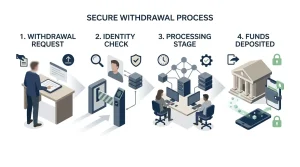
Velobet Withdrawals: Process, Verification, Times and Limits to Check
Velobet UK Guide A Velobet withdrawal is best understood as a sequence: request the payout,...

Anonymous Crypto Casinos in the UK: What to Know
See how Bitcoin payments move, what no-KYC registration involves, and why a casino may still...

BNB Casino Comparison UK: Licensing and Claims
UK licensing rules prevent licensed operators from taking crypto for gambling, so BNB claims need...

Bitcoin Cash casino comparison for the UK
The comparison explains UK licensing limits and how offshore operators handle BCH accounts, payments, wagering...

Cardano ADA Casino Comparison for the UK
ADA acceptance does not establish UK authorisation; licensed operators cannot accept cryptocurrency as a gambling...

Credit Cards at UK Casino Sites: What the Rules Say
UK-licensed online casinos cannot accept credit-card payments for gambling, but other payment methods have their...
Casino Sites That Accept Debit Cards in the UK
See how deposits, card eligibility, limits and withdrawals fit together when using a debit card...

UK Casino Sites That Accept EcoPayz (Payz)
EcoPayz became Payz in 2022, so casino cashiers may use the newer name for the...

Casino Sites That Accept Jeton in the UK
Learn how to verify Jeton in the cashier and assess deposits, withdrawals, bonuses, limits and...

UK Casino Sites That Accept Skrill: Payments Explained
Skrill access can depend on the casino account and transaction, while cashier steps, promotions and...

UK Casinos and Apple Pay: How Boku Differs
Boku charges a mobile bill or prepaid balance, while Apple Pay is a separate option...

Casinos That Accept AstroPay in the UK: What to Check
Availability can vary by casino and account, so cashier instructions matter more than older payment-method...

Bank cheques at UK casinos: how Boku differs
Boku is a Pay by Phone deposit, not a bank cheque, and its availability at...

Casinos That Accept Bank Transfers in the UK
Bank transfers use a bank account, while Boku charges a mobile bill or prepaid credit,...

Casinos that accept Bitcoin in the UK: how to check
Separate general cryptocurrency claims from confirmed Bitcoin support, and assess what rankings and Bitcoin Cash...

Casinos That Accept Boku in the UK: Payments & Bonuses
Boku funds a casino account, but bonus terms determine eligibility and withdrawals require a separate...
Casinos That Accept CashtoCode in the UK
A casino’s payment listing can confirm a deposit route, but bonuses and withdrawals need separate...

Casinos That Accept Citadel in the UK: Payment Guide
Payment availability, bonus terms and account details can shape deposits and withdrawals, while remaining separate...

Casinos That Accept Click2Pay in the UK: What to Check
Payment availability, bonus eligibility and slot rules are separate; current cashier listings and promotion terms...

Casinos That Accept ClickandBuy in the UK
A cashier option does not confirm bonus eligibility or withdrawal availability, and payment choice does...
Casinos That Accept Debit Cards in the UK
Debit cards move funds from a linked bank account, while the casino cashier determines whether...

Casinos That Accept Diners Club in the UK
Card availability, bonus eligibility and withdrawals are separate checks, so confirm each before making a...

Casinos That Accept Dogecoin in the UK: What to Check
Dogecoin acceptance, game access and promotion terms are separate conditions, so each claim needs to...

Casinos That Accept E-Checks in the UK
Availability can depend on the account, location and payment details, while processing times and fees...

Casinos That Accept E-Cheque in the UK: What to Check
Availability depends on the options shown for an account, and deposit access does not confirm...
Casinos That Accept EntroPay in the UK: What to Check
Availability is confirmed only when EntroPay appears as a selectable option in the signed-in account’s...

Casinos That Accept Ethereum in the UK
Ethereum availability can differ between deposits and withdrawals, while account checks and bonus rules may...
UK Casinos That Accept E-Wallets: Payment Guide
Understand how casino cashiers handle e-wallet payments, from deposit eligibility and limits to withdrawal timing...
Casinos That Accept Giropay in the UK: What to Check
A Giropay mention alone does not confirm UK availability, slot funding, or whether the same...

Casinos That Accept Google Pay in the UK
Google Pay availability depends on the deposit options shown in the account cashier, not on...

Casinos That Accept iDEAL in the UK: What to Check
A successful deposit may still be excluded from a promotion, so casino payment terms and...
Casinos That Accept InstaDebit in the UK
Payment options can vary by operator, location and account, so cashier listings—not general payment pages—are...
Casinos That Accept Interac in the UK: How to Check
Availability depends on the operator, location and account, while deposit and withdrawal options may differ....

Klarna at UK Online Casinos: Deposits and Bonuses
Klarna availability, bonus eligibility and withdrawal methods are separate questions, so check the operator’s terms...

Casinos That Accept Litecoin in the UK: What to Check
Understand how cashier support, bonus terms, currency checks and withdrawal delays can affect a Litecoin...

Casinos That Accept Maestro in the UK: What to Check
Maestro acceptance, promotion eligibility and slot rules are separate checks, while cashier options and withdrawal...

Casinos That Accept Mastercard in the UK
Mastercard can fund slot play, but bonus eligibility depends on the casino’s promotion and payment...

Casinos That Accept MiFinity in the UK: What to Check
MiFinity availability, bonus eligibility and withdrawal checks are separate, so confirm each casino’s terms before...

Casinos That Accept Monzo in the UK: Card Deposits
A card option in the cashier is only the first step; the processor and Monzo...
Casinos That Accept MuchBetter in the UK
The guide covers cashier availability, bonus conditions, payment costs, withdrawals and UK gambling safeguards. How...
Casinos that accept Neosurf in the UK: payment checks
Neosurf availability is account-specific, so the signed-in deposit cashier is the practical place to confirm...

Casinos That Accept Neteller in the UK: What to Check
Acceptance can depend on the casino and payment route, while deposit terms, bonus eligibility and...

UK Casinos That Accept Boku Pay by Phone
Boku deposits use a mobile number and an SMS code, while casino withdrawals follow a...

Casinos that accept PayPal in the UK: what to check
PayPal availability can depend on the account and transaction, so confirm payment, bonus and withdrawal...

Casinos That Accept POLi in the UK: What to Check
A POLi listing is only a payment claim; availability and bonus eligibility depend on separate...

Casinos That Accept Revolut in the UK: Payment Guide
A Revolut-linked payment works only when the product, transaction route and casino cashier arrangements align....

Casinos That Accept Ripple XRP in the UK
XRP availability depends on the payment routes shown for an account, not simply on a...

Casinos That Accept Siru Mobile in the UK
Siru Mobile availability, deposit limits, bonus rules and withdrawals can vary by casino, so check...

Casinos That Accept Solana in the UK: Payment Guide
Boku identifies a mobile-billing route, while Solana uses a separate payment network; neither establishes the...

Casinos That Accept Tether in the UK: Payments
Understand how USDT deposits and withdrawals depend on cashier support, network compatibility, account controls and...
Ukash Casinos in the UK: How to Check Payment Options
Prepaid deposits depend on both casino support and payment-account eligibility, while fees and currency conversion...
Casinos That Accept Upaycard in the UK
A casino’s cashier is the relevant check: general payment pages and card logos do not...

Casinos That Accept USDC in the UK: Payment Checks
USDC support concerns how funds reach an account; games, bonus eligibility and withdrawal conditions require...
Casinos That Accept Visa in the UK: Deposits
A Visa payment request goes through the casino and card issuer before approved funds appear...
Casinos That Accept WebMoney in the UK
WebMoney availability depends on the casino cashier and region, while payment routes can affect limits,...

Casinos That Accept Wire Transfers in the UK
Bank transfers and open banking use different payment routes, so cashier options and the details...

Casinos That Accept Wirecard in the UK: Payment Checks
A successful card deposit does not guarantee bonus eligibility, and casino cashiers may offer different...

Casinos that accept Zimpler in the UK: what to check
Acceptance, payout routing and bonus eligibility are separate checks, and availability should be confirmed in...

Instant Bank Transfers at UK Casinos: What to Check
Bank transfer labels can cover different payment routes, so deposits, withdrawals and speed claims depend...
iPad Casinos in the UK: Payments, Apps and Games
The casino cashier and payment provider determine available deposit and withdrawal routes, while apps and...
Online Casinos That Accept SMS Deposits: Boku Guide
See how SMS verification connects a Boku payment to a casino account and what to...

Pay by Mobile Casinos UK: How Phone Deposits Work
Paying through a mobile network funds the casino account, while the operator’s game catalogue determines...

Pay by phone bill at UK casinos: how it works
Payforit deposits use a mobile number and an SMS confirmation code, with the casino cashier...

Pay by Phone Casinos UK: How Payforit Works
Payforit charges the linked mobile account, with an SMS code required to authorise the deposit....
Payforit Mobile Casinos UK: Deposits and Checks
Payforit links a casino deposit to a mobile number and SMS confirmation, while withdrawals follow...

Casinos That Accept Direct Banking: Payment Guide
See how Open Banking authorisation works and what can affect deposits, withdrawals and payment checks...

TRON (TRX) Casino Comparison for the UK
The guide distinguishes operator-specific TRON payment evidence from Bitcoin Cash mechanics and outlines UK licensing...

UK Crypto Casinos Without KYC: Rules and Risks
The guide explains how Great Britain’s licensing rules differ from offshore permissions and what to...